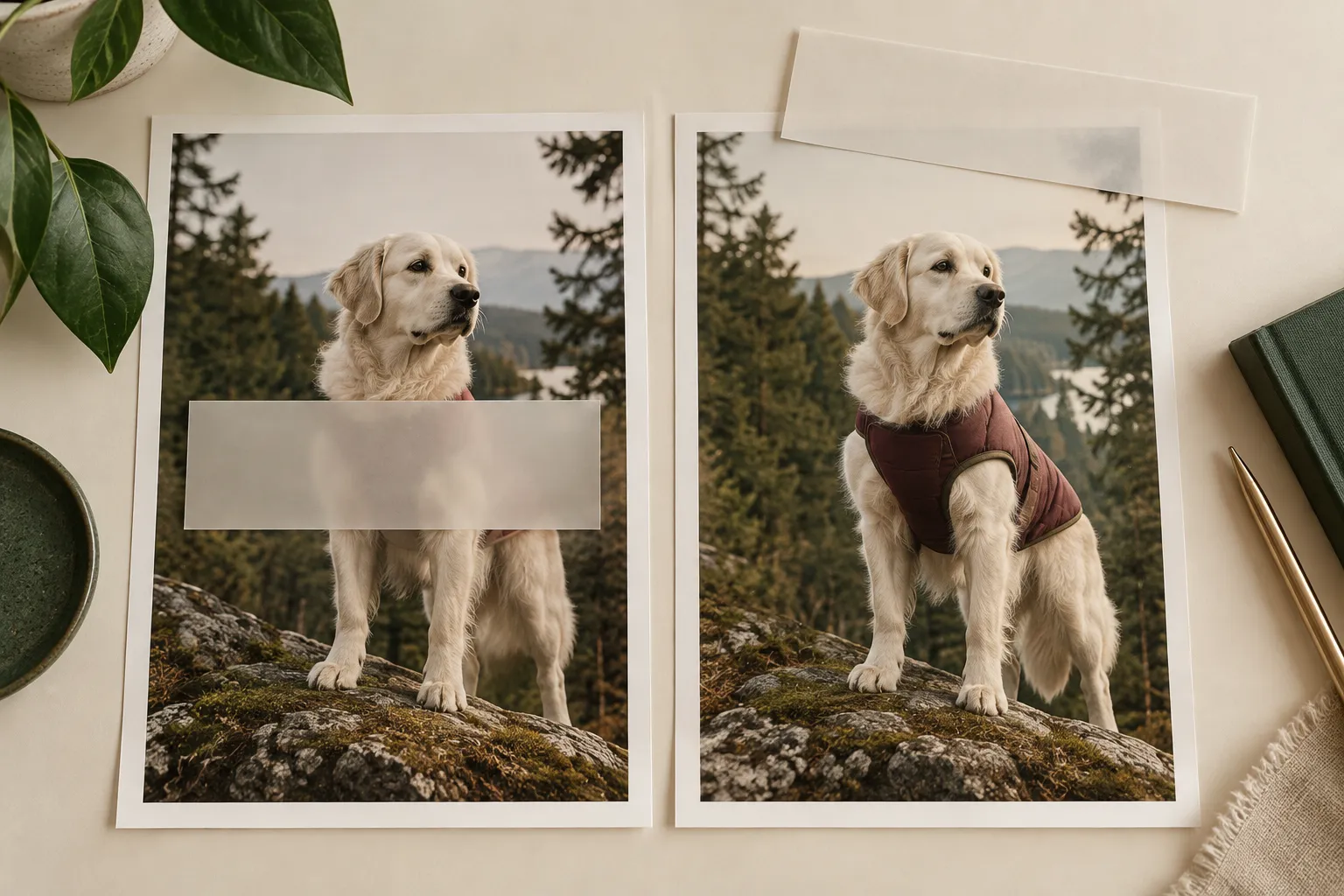
The opening caption sits neatly above the vest. A moment later, the dog moves and the words cover the neckline. The feature you wanted to explain is now behind the explanation.
For a TikTok Shop pet-apparel video, caption placement is a moving-image problem. A tidy first frame does not mean the layout works through the clip.
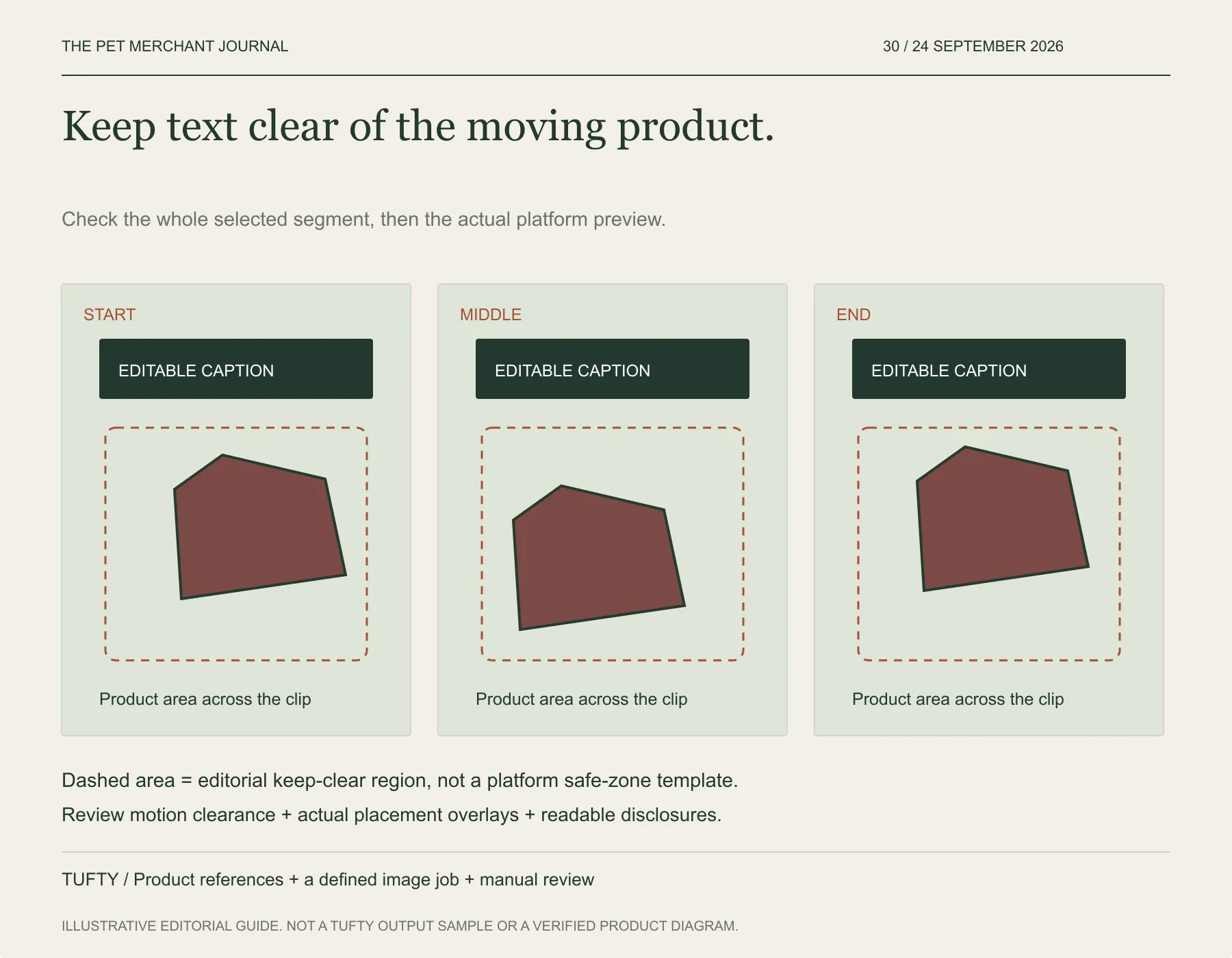
Original editorial framework. Original illustrative workflow. Check the actual item and intended publishing placement.
Watch the garment before adding the words
Take a short segment you have already checked for accurate product depiction. Watch where the garment goes from beginning to end. Note the area occupied by the neckline, closure or print you need the viewer to see.
Think of the combined area as a temporary keep-clear region in your editing plan. It does not need precise coordinates to be useful. Its job is to stop a caption from occupying the same space as the feature later in the shot.
This region is different from a platform safe zone. One follows your product; the other concerns interface elements and placement requirements. You need to consider both.
Keep the image and the text editable
Our tool, Tufty, can create an outfit candidate from your product and pet references, then develop a motion candidate from a reviewed still. Begin with a garment-focused source image and inspect the generated motion before building the final edit.
Add captions in your editing tools after that review. Keeping the wording separate lets you shorten a sentence, move it or change its timing without asking the image generator to reproduce the product again.
When no clear area lasts long enough, change the edit: use a shorter line, split the caption into successive beats, or choose a different reviewed segment. Avoid shrinking important words until they become hard to read merely to squeeze them beside the animal.
Rehearse the final viewing conditions
Preview the export at a realistic phone viewing size. Play it with sound off. Can the viewer read the sentence and inspect the feature it refers to? Pause wherever the animal changes position and check for collisions.
Then inspect the actual TikTok placement preview. TikTok's ad guidance notes that safe zones vary with format and caption or interface elements; an ad specification is not a universal template for every organic Shop post. Use the preview and requirements for your chosen placement.
Keep appropriate AI and commercial disclosures readable too. Text should not hide a product error or misrepresent the clip as real experience.
For your next video, place the words after tracing the garment's movement. You may need less text—or a better-timed line—to let the product do its part.